
How to Find the Right People to Reach Out To with AI
Finding the right company is only half the prospecting problem. The harder part is figuring out who inside that company is actually worth contacting.
Sales Navigator, Apollo, and Clay can filter for titles: VP of Marketing, Head of Sales, Founder, RevOps Manager. That works when the buyer has a clean, obvious title. But real buying committees are messier. Sometimes the right person is the founder who still owns growth. Sometimes it is the first marketing hire. Sometimes it is an operator who keeps posting about the exact workflow your product solves.
The best prospecting signals are rarely captured by a title filter.
How most people do this manually
You can filter for "Heads of Growth at SaaS companies with 11-50 employees." You cannot reliably filter for:
- Founders who are still personally handling sales calls
- New marketing leaders hired after a company raised funding
- Customer success leaders whose company is hiring implementation specialists
- Agency owners who work with Shopify brands and post about outbound
- Operators who seem to own a workflow even though their title is not obvious
These are the people who are most likely to care right now. They are tied to context, responsibility, and timing, not just title.
So people start with Sales Navigator or Apollo, export a broad list, and then manually inspect profiles. They read LinkedIn posts, check company pages, look at job openings, skim websites, and guess who owns the problem. The tool gets you a pile of possible contacts. You still have to turn that pile into a prospect list.
What this looks like with a Sliq agent
You describe the people you want the way you would describe them to a teammate:
Find the person at each company who seems most likely to own lifecycle marketing. Prioritize people who recently joined, posted about retention, or mention email, CRM, or customer journeys in their profile.
Or you can make it more specific:
Find founders at B2B SaaS startups under 20 people who are still posting about sales, onboarding customers themselves, or hiring their first GTM person.
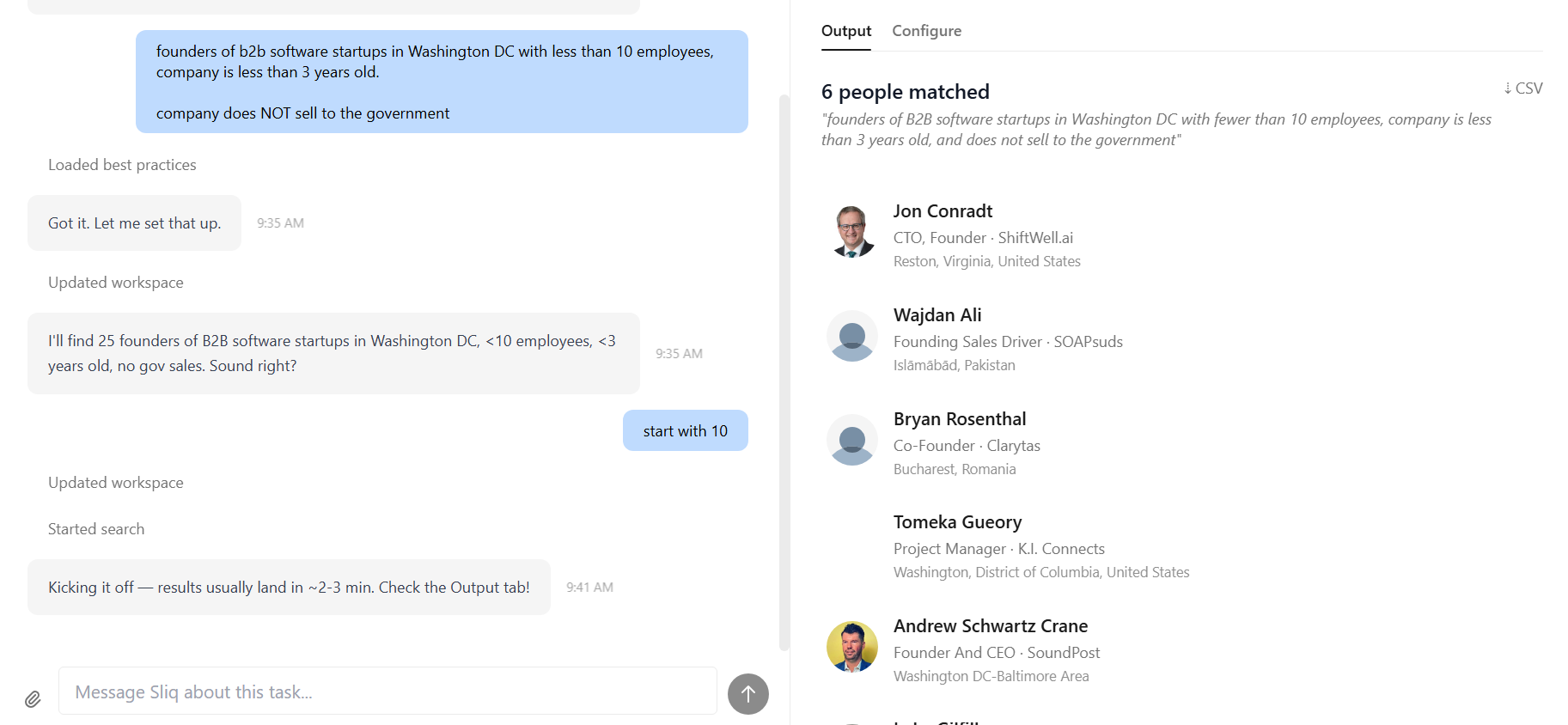
The agent confirms what it understood, searches across public sources, and comes back with a structured prospect list:
- Person name
- Current role and company
- LinkedIn or public profile
- Why they matched your criteria
- Relevant source links or activity
- CSV export
Want to refine it? Just say so. "Only include people active on LinkedIn in the last 30 days." "Exclude recruiters." "Find the sales owner, not the founder." The agent adjusts the search without making you rebuild filters or rewrite enrichment logic.
Why a Sliq agent isn't just a better prospecting database
LinkedIn Sales Navigator, Apollo, and Clay are built around structured data. They are useful when you already know the exact fields you want: title, seniority, department, company size, geography, technologies used.
A Sliq agent is useful when your real criteria sound more human: "the person who probably owns this problem," "someone recently hired to fix growth," or "a founder still doing sales manually." It reads public context, compares signals, and explains why a person belongs on the list.
That matters because outbound fails when the contact is technically close but practically wrong. A title match is not the same as a relevant buyer. The agent helps you find the people with the strongest reason to care, not just the people who match a dropdown.
Delegate this to a Sliq agent ->
Related workflows
- Find target companies to sell to with AI if you need to build the account list before mapping contacts
- How to Automate LinkedIn Outreach with AI if you want to message the right people after the list is built
- How to Monitor Reddit with AI if you want to discover who is talking about the problems you solve before you prospect
Frequently asked questions
How is this different from LinkedIn Sales Navigator, Apollo, or Clay?
LinkedIn Sales Navigator, Apollo, and Clay are strongest when your prospect criteria fit structured filters such as title, department, seniority, company size, and location. A Sliq agent handles qualitative and time-sensitive criteria: who recently posted about a problem, who appears to own a workflow, who joined after a funding round, or who is likely to influence a buying decision.
Where does the agent find people?
It searches public sources such as LinkedIn, company websites, team pages, job posts, funding announcements, news, podcasts, and social activity. The agent cross-references those sources against your criteria and explains why each person looks like a fit.
Can the agent find people when their job title is not obvious?
Yes. You can describe the responsibility instead of the exact title: the person who owns partnerships, lifecycle marketing, RevOps, onboarding, outbound, or another workflow. The agent looks for contextual clues instead of relying only on title matching.
Can I export the prospect list?
Yes. The agent produces a structured prospect list with names, roles, company details, source links, match reasoning, and export options such as CSV, CRM sync, Google Sheets, or Notion.
Last updated: April 2026