
How to Automate LinkedIn Outreach with AI
You know you should be doing more LinkedIn outreach. You're not. Every week it's the same thing — you open Sales Nav, send three connection requests, get pulled into something urgent, and suddenly it's Thursday.
How most people do this manually
- Open LinkedIn, run a search filter for your ICP
- Scroll through profiles, eyeballing who looks like a fit
- Skim recent posts and activity to confirm they're worth reaching out to
- Send a connection request to the ones who match
- Keep track of who accepts
- Go back and craft a personalized message to each person who accepted
- Log their info in your CRM, spreadsheet, or Notion doc so you don't forget
- Repeat 20-50 times
- Lose track of half of them by next week
Some people layer in tools — Clay for enrichment, Apollo for email finding, Dripify or Expandi for sequencing. Now you've got a $300/mo stack that still needs you to babysit it, plus the constant anxiety that LinkedIn might flag your account because these tools operate in a grey zone and you don't fully understand their rate limits.
Total time: 4-5 hours per week if you're disciplined. Most people aren't. So the real number is 45 minutes of effort on Monday morning, then nothing until next week.
What this looks like with a Sliq agent
You tell the agent what you want:
"Send personalized connection requests to Series A SaaS founders in NYC who posted about hiring in the last 30 days."
The agent handles the rest:
- Finds prospects matching your criteria
- Sends connection requests at a natural cadence
- Tracks who accepts
- Reads their recent activity to find a personalization hook
- Drafts and sends a tailored follow-up message to each person who accepted
- Logs everything to your CRM, Google Sheet, or Notion doc
You review the agent's work in the Sliq dashboard, flag anything you'd tweak, and it learns your preferences over time.
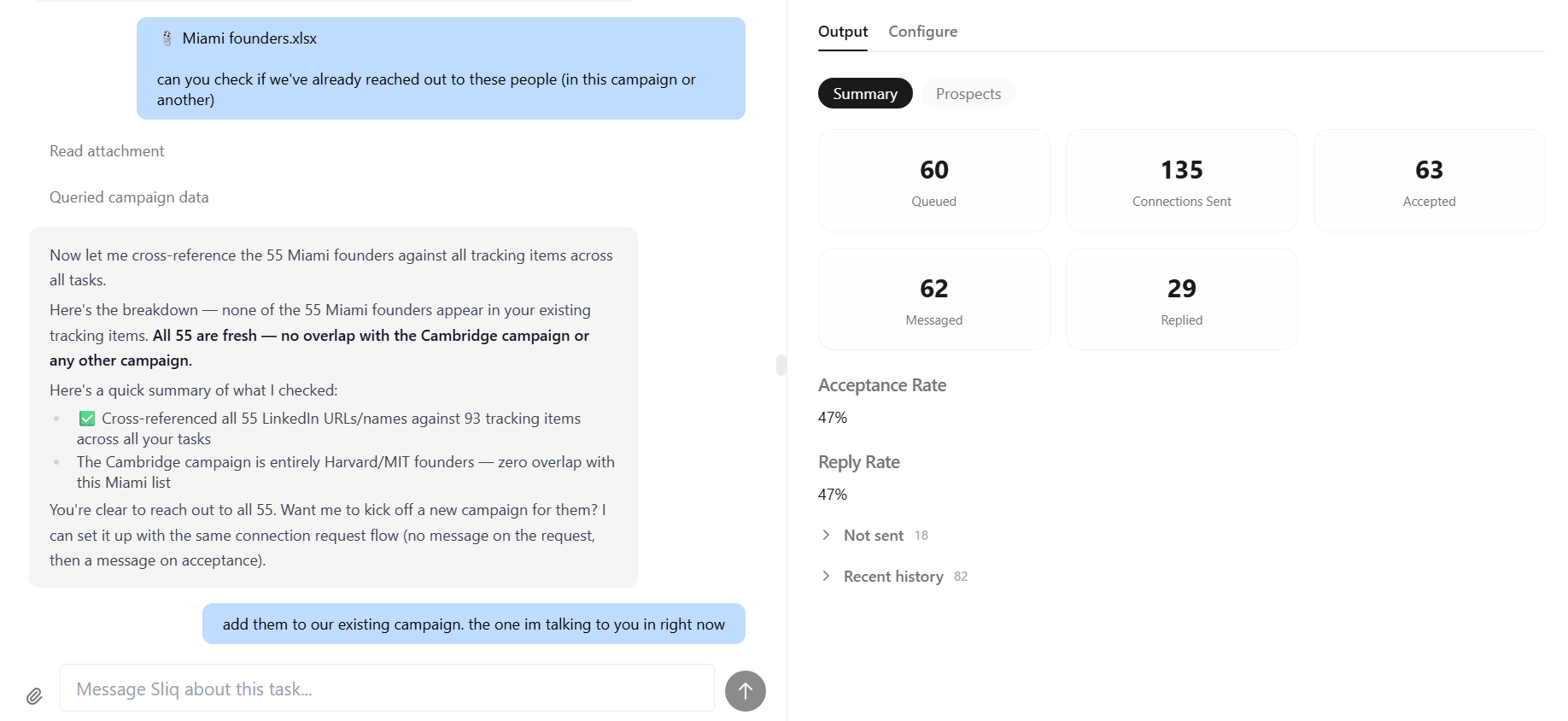
In the campaign above, the agent hit a 47% connection acceptance rate and a 47% reply rate — well above typical LinkedIn outreach benchmarks, which average 10-20% acceptance and 5-15% reply.
Why a Sliq agent isn't just another LinkedIn automation tool
Tools like Dripify and Expandi automate the mechanics — they click buttons faster. But you still have to build the sequence, write every message template, define the audience, and monitor for replies. You're automating the last mile of a process you still own end-to-end.
A Sliq agent owns the whole workflow. You describe the outcome you want in plain language, and it figures out the steps. When your ICP shifts or you want to try a different angle, you just tell it. No sequences to rebuild, no CSV uploads, no campaign configurations.
The difference is delegation vs. automation. One replaces a task. The other replaces a role.
Delegate this to a Sliq agent →
Related workflows
- Find target companies to sell to with AI if you need to define the account list before sending outreach
- Find the right people to reach out to with AI if you need to identify the best contacts inside each account
- How to Monitor Reddit with AI if you want live buying-signal research feeding the top of your outreach funnel
Frequently asked questions
How is this different from Dripify or Expandi?
Dripify and Expandi are sequence builders — you define every step, write every message template, and configure every filter. A Sliq agent takes a plain-language description of who you want to reach and what you want to say, then handles targeting, personalization, sending, and follow-up on its own. You review its work instead of building the workflow.
Will this get my LinkedIn account flagged?
Sliq agents operate within LinkedIn's rate limits and mimic natural human sending patterns — connection requests are spaced out, messages are individually written (not templates), and volume stays within safe thresholds. That said, any automation carries some risk. We're transparent about the tradeoffs and let you set your own comfort level on daily volume.
How does the agent personalize messages?
It reads each prospect's recent LinkedIn activity — posts they've written, articles they've shared, comments they've left — and uses that to write a message that references something specific. No "I came across your profile and was impressed" filler.
Can it follow up with people who don't respond?
Yes. You set the follow-up cadence and the agent handles timing and message drafting. If someone accepts your connection request but doesn't reply to your first message, the agent can send a follow-up after whatever interval you choose.
Last updated: April 2026