
How to Automate LinkedIn Post Writing with AI
Writing LinkedIn posts sounds simple until you try to do it every week.
You notice something interesting on a customer call, think "that would make a good post," and then lose the thought by Tuesday. Or you finally sit down to write and end up staring at a blank doc. Or you ask ChatGPT for help and get a post that sounds like every other post in the feed: polished, generic, and vaguely inspirational.
The problem is not that AI cannot help with LinkedIn. It can. The problem is starting in the wrong place.
If you ask AI to invent your point of view from scratch, you get slop. If you give it your pillars, voice samples, raw stories, and judgment, it can become a useful writing assistant.
How most people do this manually
A consistent LinkedIn habit has more moving parts than people expect:
- Capture ideas from calls, meetings, customer conversations, and notes
- Decide which ideas fit your content pillars
- Turn one idea into a post angle
- Write a first line strong enough to earn the click
- Draft the post in your actual voice
- Cut extra points so the post has one idea
- Format it for mobile
- Avoid hashtags, outbound links, and fake engagement questions
- Schedule it at a consistent cadence
- Repurpose winning ideas into future posts
Most people break somewhere in that loop. They either do a burst of posts for two weeks and disappear, or they outsource too much to AI and publish content that sounds technically fine but emotionally empty.
The hard part is not typing the post. The hard part is preserving a real point of view while staying consistent.
What this looks like with a Sliq agent
You do not start by saying, "Write me 30 LinkedIn posts."
You start by giving the agent the context a human editor would need:
Here are my content pillars. Here are three posts I wrote myself. Here are notes from this week: two customer calls, one mistake I made, and a pattern I keep seeing in sales teams adopting AI.
Then the agent helps with the repeatable parts:
- Searches meeting notes, recent posts, saved ideas, and relevant web context for post angles
- Filters ideas against your content pillars
- Drafts posts in your voice
- Writes stronger first-line hooks
- Keeps each post focused on one idea
- Formats drafts for mobile
- Flags anything that sounds generic or over-polished
- Builds a weekly posting calendar
- Repurposes long-form content, call transcripts, or memos into LinkedIn drafts
You review the drafts, edit anything that feels off, and the agent learns from those edits. Over time, it becomes less like a blank AI writer and more like a content editor who understands your taste.
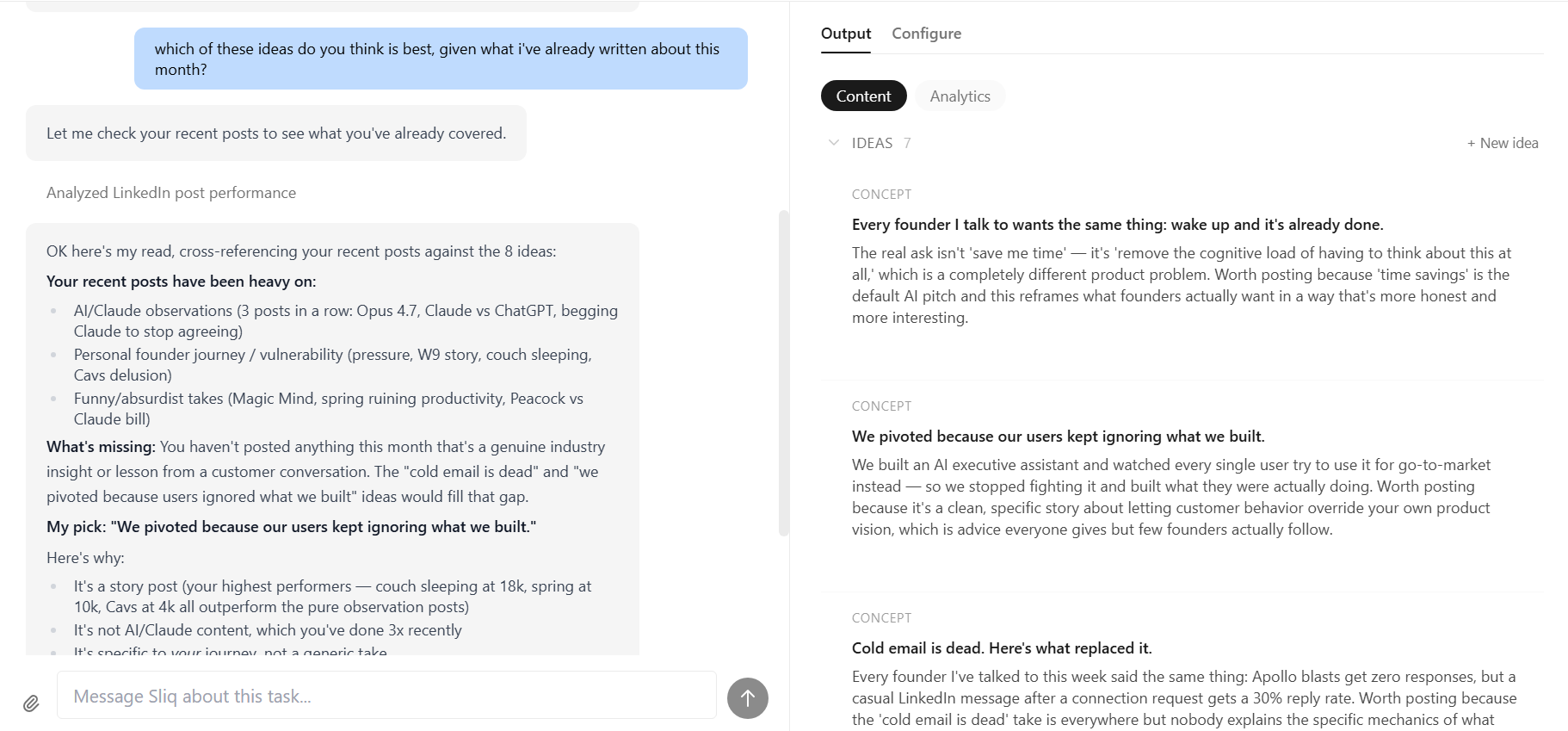
Why a Sliq agent isn't just another AI LinkedIn post generator
Most AI writing tools optimize for output. They ask for a topic and give you a post.
That is the wrong unit of work.
Good LinkedIn writing is not just a post. It is a system: pillars, voice, idea capture, drafting, editing, scheduling, and feedback. The post is only the visible artifact.
A Sliq agent works from your actual context. It can read your prior posts, preserve your phrasing, ask which pillar an idea serves, and reject drafts that sound like generic LinkedIn advice. It can also keep the habit alive by pulling from the places where real ideas already show up: meeting notes, customer conversations, docs, memos, and voice notes.
The human still owns the judgment. You write the first 2-3 posts. You approve the pillars. You edit the drafts that miss. The agent handles the parts that make consistency hard.
That is the difference between automating your writing process and outsourcing your personality.
Delegate this to a Sliq agent ->
Related workflows
- How to Automate SEO Content Writing with AI if you want the same content system applied to search-driven publishing
- How to Monitor Reddit with AI if you want your content ideas to come from live market conversations
- How to Automate LinkedIn Outreach with AI if you want to pair organic LinkedIn content with outbound follow-up
Frequently asked questions
Can AI write my LinkedIn posts for me?
AI can help draft, edit, structure, repurpose, and schedule LinkedIn posts, but it should not invent your point of view from scratch. The best workflow is to write the first two or three posts yourself, define your content pillars, and give the agent voice samples before it starts drafting regularly.
How does a Sliq agent avoid generic AI LinkedIn posts?
A Sliq agent uses your content pillars, prior posts, voice samples, raw notes, and approved edits as constraints. It checks whether each draft serves a pillar, keeps one idea per post, preserves your phrasing, and avoids generic LinkedIn patterns such as fake inspiration, over-polished hooks, and empty engagement questions.
What do I need to give the agent before it writes posts?
Start with three things: your content pillars, two or three posts written in your own voice, and a few raw ideas or notes. The agent can then turn those inputs into drafts, improve hooks, format for mobile, and build a posting calendar.
Can the agent schedule and repurpose LinkedIn posts?
Yes. A Sliq agent can maintain a posting calendar, turn call notes or memos into post ideas, create alternate angles, repurpose long-form content into LinkedIn posts, and prepare drafts for review before publishing.
Last updated: April 2026